Campaigns
TikTok Ads campaign setup
This walkthrough creates a TikTok Sales campaign with a Website destination, points the ad at your Adback link, and selects an Adback-delivered postback event as the optimization event. To optimize on StartTrial, use the Lead generation objective instead.
Before you start
The campaign setup assumes your Adback side is already live. TikTok can only optimize on events it receives, so the data connection and event mappings must exist before the first ad spends.
- The Adback SDK is installed and configured in a production build.
- A revenue source (RevenueCat, Superwall, or backend webhooks) is connected.
- The TikTok integration is connected in the Adback console with a data connection (pixel) and mapped postback events such as Subscribe, Purchase, or StartTrial.
- A TikTok signal link exists for the app, with an approved store destination.
1. Campaign objective: Sales with a Website destination
In TikTok Ads Manager, create a new campaign, choose the Sales advertising objective, and set the sales destination to Website. Leave the Search campaign toggle off unless you specifically want search placements with keywords.
Website is the correct destination even though you are advertising an app. An Adback link is a website URL: it captures click context on adback.link and then redirects to the App Store or Play Store. The App destination is TikTok's direct app-promotion flow and expects an app profile with its own measurement setup, which bypasses the Adback link entirely.
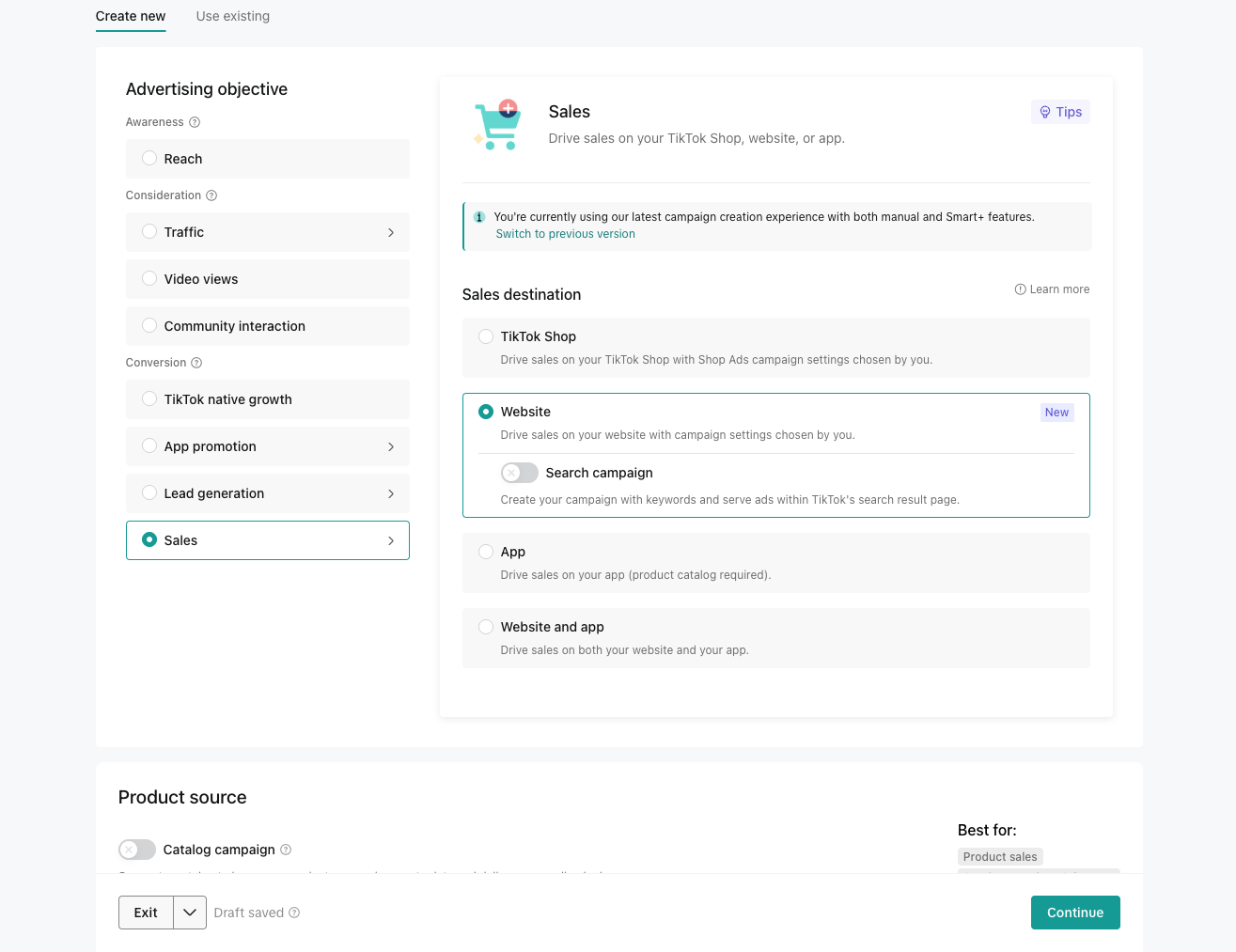
- Important: TikTok gates optimization events by objective. StartTrial is only available as an optimization event in a Lead generation campaign. A Sales campaign offers events like Subscribe and Purchase instead.
- Choose Sales when you optimize on Subscribe or Purchase; choose Lead generation when you want TikTok to optimize on StartTrial.
- The rest of this guide applies to both objectives; only the objective screen and the available optimization events differ.
2. Campaign name and budget
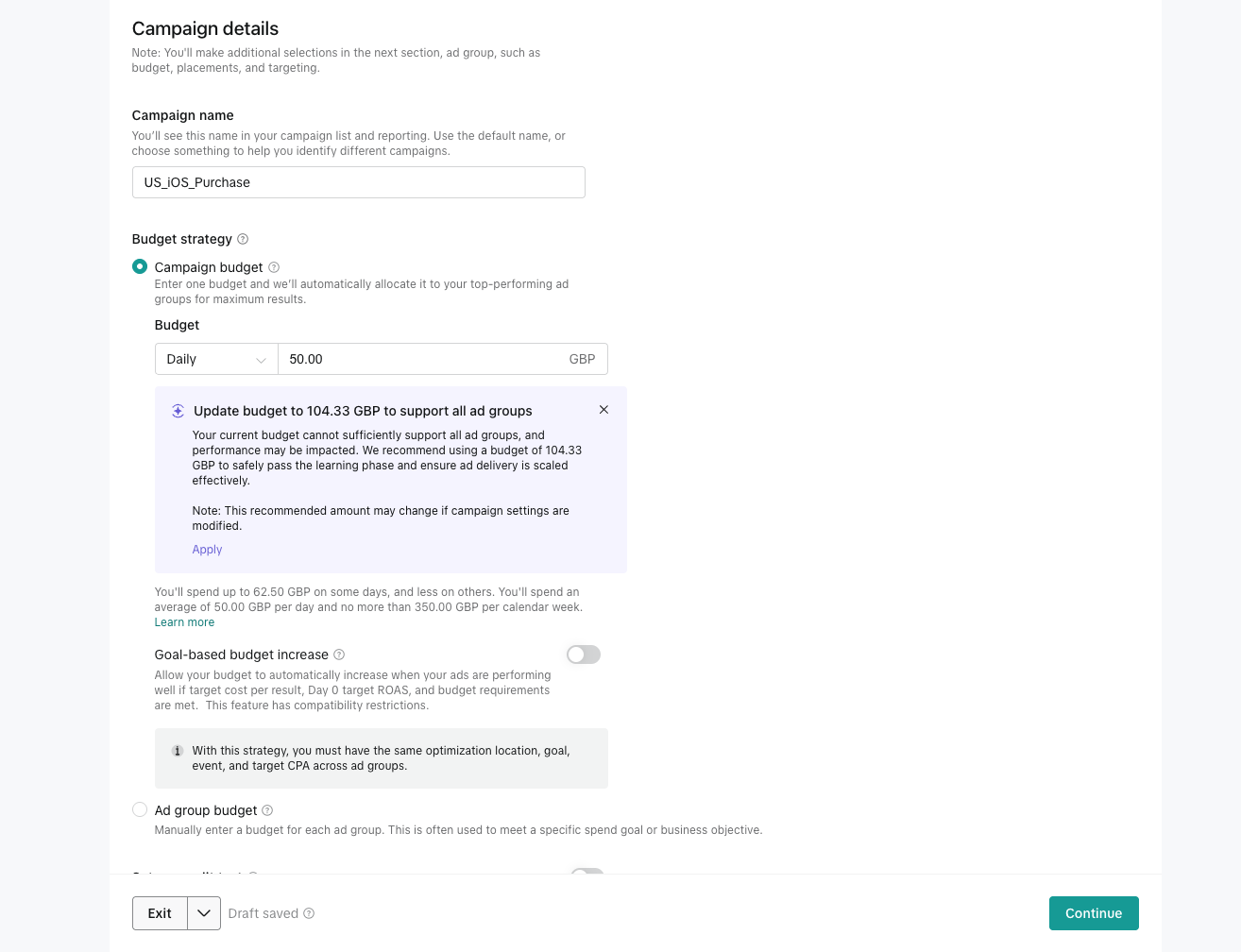
Name the campaign so reporting stays readable across networks, for example GEO_platform_goal such as US_iOS_Purchase. Adback captures the campaign name through link macros, so a consistent convention carries into Adback reporting too.
Campaign budget with a daily amount lets TikTok allocate spend across ad groups automatically; Ad group budget gives you manual per-ad-group control. Start with a daily campaign budget you can hold steady through the learning phase, and leave Goal-based budget increase off until results are stable.
3. Ad group: optimization and bidding
In the ad group, set the optimization location to Website, the optimization goal to Conversion, and select your Adback data connection (for example adback-pixel) as the data connection. This is the connection Adback delivers mapped server events to, so TikTok attributes and optimizes on the same events you see in the Adback console.
Pick the mapped postback event you actually care about as the optimization event — Subscribe in this example. If StartTrial is missing from this dropdown, that is expected in a Sales campaign: StartTrial requires the Lead generation objective.
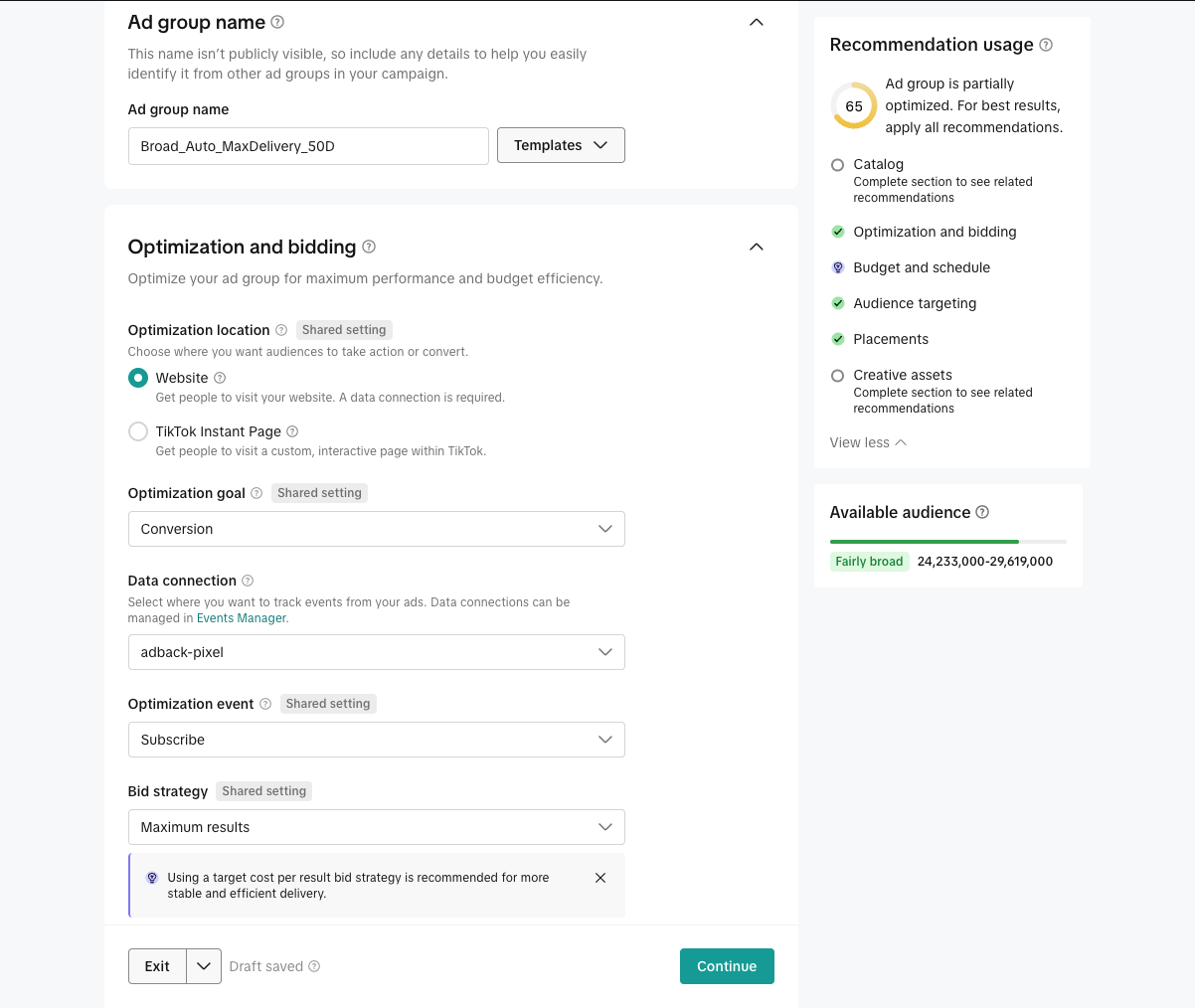
- Optimization location: Website (the ad clicks go through your Adback link).
- Data connection: the pixel/data connection created for Adback event delivery.
- Optimization event: a mapped Adback postback event such as Subscribe or Purchase; StartTrial only appears under Lead generation.
- Bid strategy: Maximum results is a reasonable start; move to a target cost per result once you know your numbers.
4. Targeting: manual, matched to the app platform
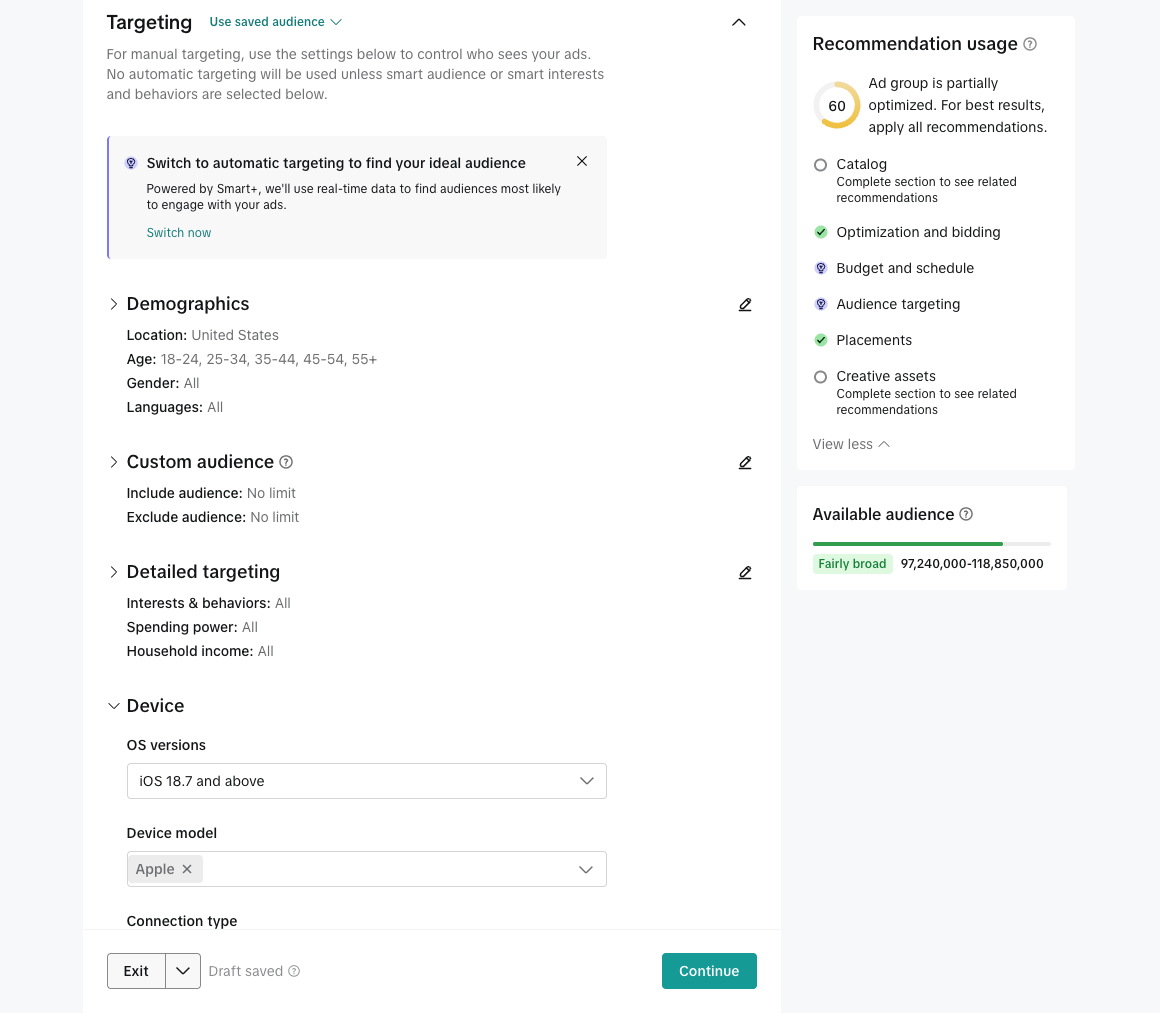
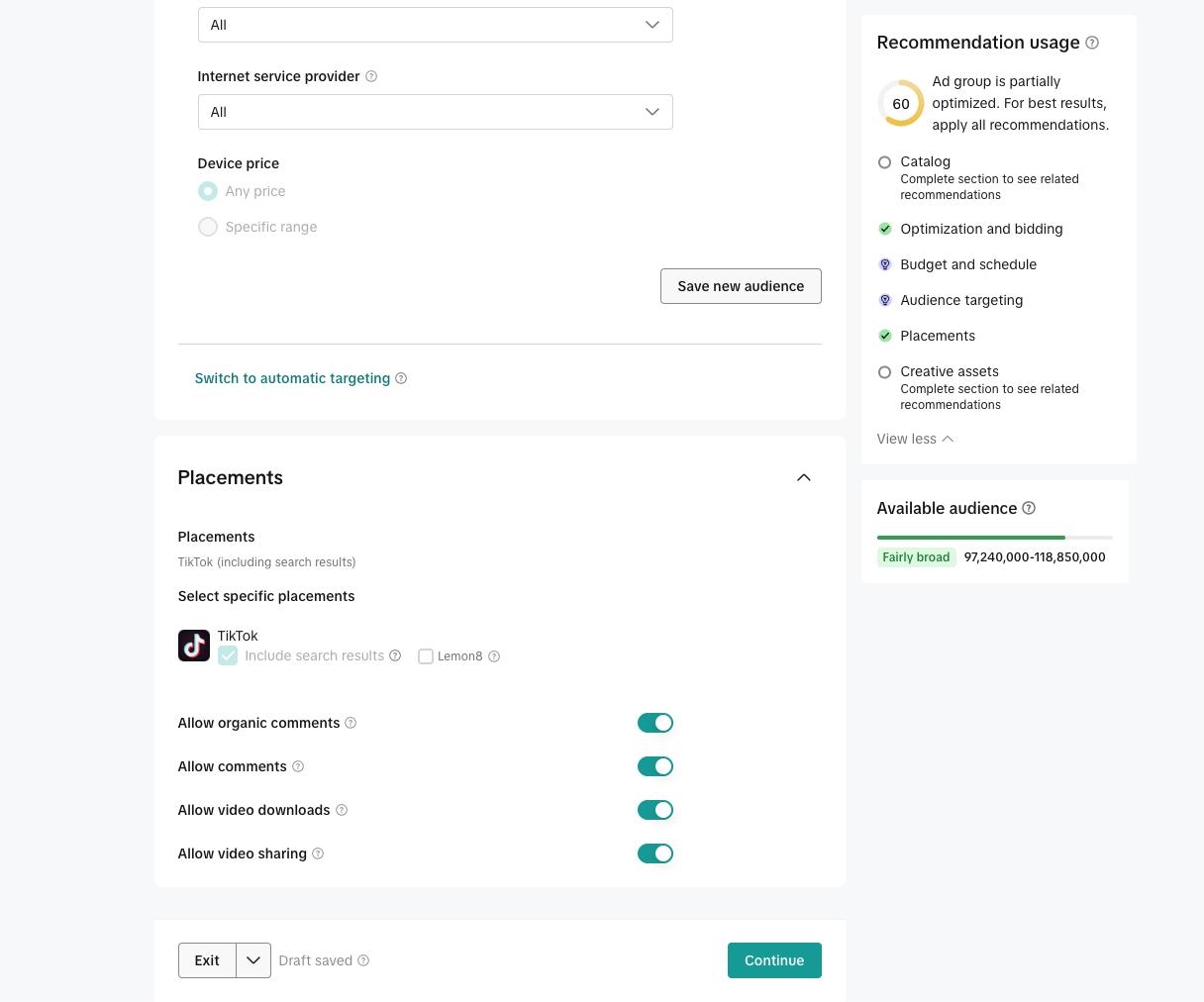
Use manual targeting rather than automatic targeting so device targeting stays aligned with the app you are advertising. Clicks from the wrong platform can never become installs, which wastes budget and dilutes install matching.
For an iOS app, expand Device and set the OS version to a minimum your app supports, and set the device model to Apple. Set location, age, and language to match the market the link's destination serves.
5. Placements: TikTok only
Select specific placements instead of automatic placement, keep TikTok, and uncheck Lemon8. Lemon8 traffic behaves differently from TikTok feed traffic and makes early results harder to read; add it back deliberately later if you want it.
Include search results is fine to keep on. The comment, download, and sharing toggles are brand preferences and do not affect attribution.
6. Ad: website URL and call to action
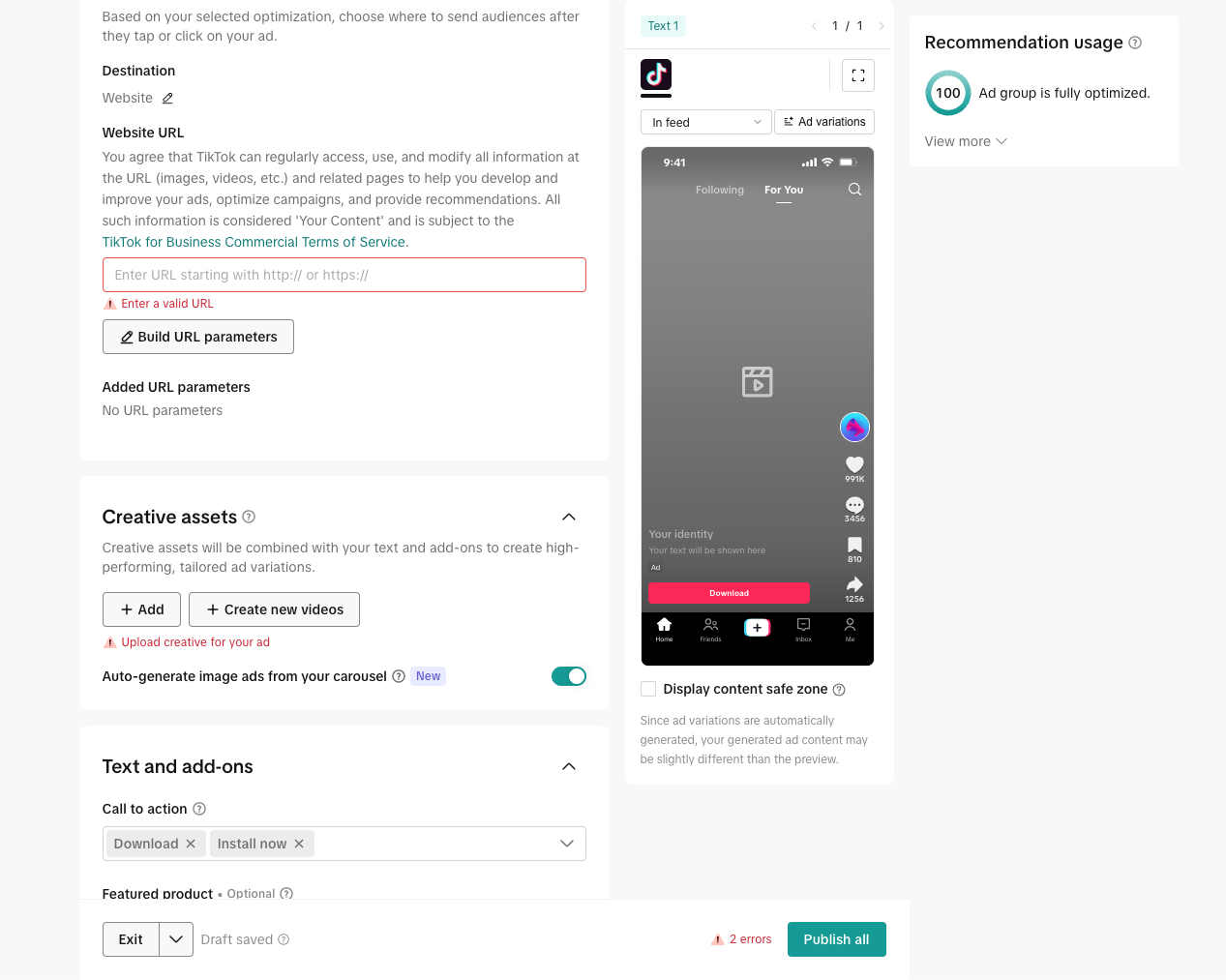
At the ad level, the destination is Website and the website URL is your Adback link. Copy the TikTok-specific URL from the Adback console and paste it whole — it already contains the TikTok macros that capture campaign, ad group, creative, click, and placement context.
Do not rebuild the URL with TikTok's Build URL parameters helper or trim query parameters; dropping macros silently removes campaign context from every click. Then upload creative assets and choose a store-appropriate call to action such as Download or Install now.
https://adback.link/deeplink/resolve?deeplink_id=YOUR_LINK_ID
  &utm_source=tiktok
  &utm_medium=paid_social
  &tt_campaign_id=__CAMPAIGN_ID__
  &tt_campaign_name=__CAMPAIGN_NAME__
  &tt_adgroup_id=__AID__
  &tt_adgroup_name=__AID_NAME__
  &tt_creative_id=__ADID_V2__
  &tt_creative_name=__ADID_V2_NAME__
  &tt_cid=__CID__
  &tt_placement=__PLACEMENT__
7. Automatic enhancements, tracking, and publish
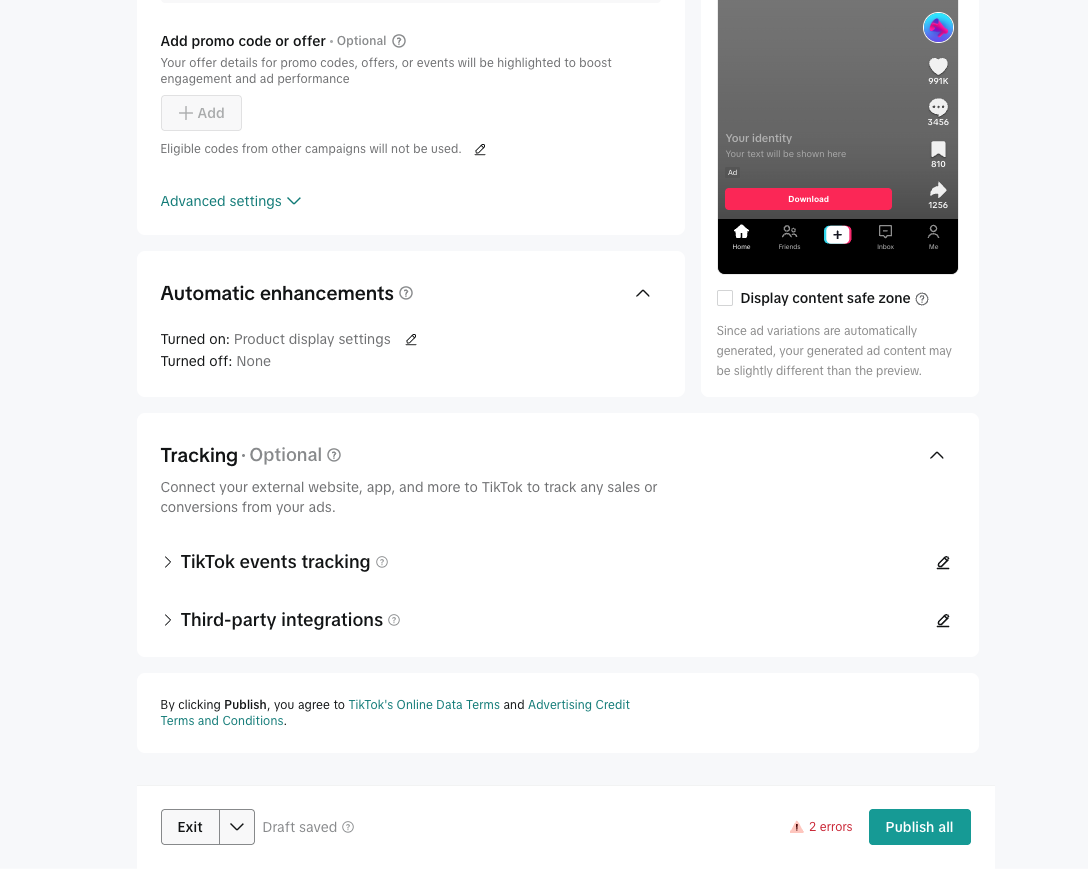
Before publishing, open Automatic enhancements and turn off anything that can change the landing experience, such as product display settings. Enhancements that rewrite what happens after the click can interfere with the Adback redirect path you just configured.
The optional Tracking section can stay untouched: event tracking already flows through the data connection you selected at the ad group level plus Adback's server postbacks, so no third-party integration is needed there. Resolve any remaining errors (URL and creative are required) and publish.
8. Verify the signal path
Run a small budget first and confirm the whole trace before scaling.
- Click your own ad (or open the link URL) and confirm a click row appears in the Adback console.
- Install and open the app, and confirm the install resolves with TikTok campaign context.
- Trigger the mapped funnel events and confirm postback trace rows show accepted deliveries to TikTok.
- Check TikTok Events Manager for the same events arriving on the data connection.
- Scale budget only after clicks, installs, revenue joins, and postbacks are all visible.